

FTTH fiber
1 Gbit/s4K streaming, cloud and remote work with no slowdown.
Test your fiber, ADSL or mobile connection in seconds. Download, upload, ping and jitter, with no install.
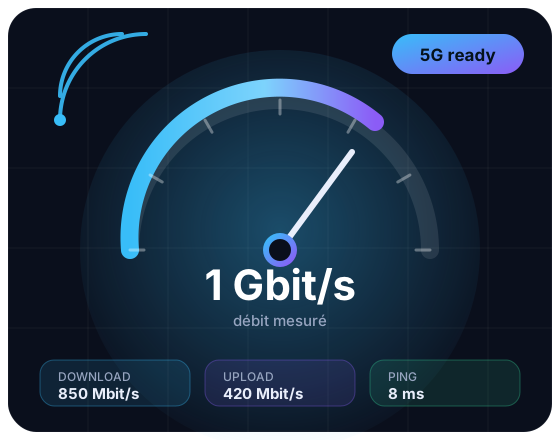
Smartphone on 3G, 4G or 5G, fiber or ADSL box: run the test and compare.
Typical speeds by access technology, from copper lines to 5G.
4K streaming, cloud and remote work with no slowdown.

Asymmetric speeds: enough for browsing and HD TV.

Your router or the signal may cap your speed: measure it for real.

Test your mobile connection wherever you are.

High speed and low latency for gaming and video.

Good speed, higher latency, useful in remote areas.
Your ISP sells a theoretical speed. This test measures what you actually get.
Download speed
Upload speed
Latency
Connection stability
A good speed yesterday means nothing today. Re-run the test after changing hardware, a network issue or a new plan.
For reliable results, stop downloads and disconnect other devices during the test.
Fiber, Wi-Fi, ADSL, 4G/5G: detailed guides to interpret your test and get a better connection.
Measure your real FTTH speed and compare it with the speeds advertised by your ISP.
Read the guide →Understand why wireless can halve your speed and how to improve the signal.
Read the guide →12 practical fixes to get a connection that matches your plan.
Read the guide →How much speed do you need for Netflix 4K, online gaming and remote work?
Read the guide →Answers to the most common questions about measuring internet speed.
A speed test measures the real speed of your internet connection. It reports download speed, upload speed, latency (ping) and jitter, so you can check that you get the service you pay your ISP for.
Several factors reduce speed: Wi-Fi, distance from the router, the number of connected devices, peak hours, the cable or line quality. Testing over Ethernet, with the router restarted and no downloads running, gives a more reliable result.
Stand close to the router, use the 5 GHz band if available and avoid thick walls. To isolate Wi-Fi, compare with an Ethernet test: if the wired speed is clearly higher, the wireless signal is the problem.
Allow about 25 Mbit/s per 4K stream and latency below 30 ms for online gaming. Remote work and video calls mainly need stable upload and low ping.
Yes, the Netest speed test is free, with no signup and no installation. It works on computers, tablets and smartphones over fiber, ADSL, Wi-Fi, 4G or 5G.